Technology Powered · CMMS

Supported with
CMMS Web App

Optimize your building MEP maintenance with intelligent CMMS — manage work orders, monitor assets, and prevent downtime in one secure and efficient centralized system.

0
Equipments
0
Maintenance Activities
0
Companies
0
Workers
System Architecture

How Everything Connects

Every module is interlinked — from a field trouble report all the way to digital management sign-off, every action traces through one unified chain.

WORK ORDER PM · CM · CERT · TR Trouble Report Linked → Work Order Schedule WO + Trouble Report Equipment List Linked → Work Order Digital Approval Linked to all modules User List Role Based Authority Site Choice Linked to User Role WO Types Prev · Corr · Cert Trouble Report
Core Modules

System Highlights

Eight interconnected modules covering every aspect of MEP maintenance — from field operations to executive approval.

Highlight 01
Work Order Management

Four distinct work order types — Preventive Maintenance, Corrective Maintenance, Certification, and Trouble Report. Each follows its own defined workflow with automated assignment, progress tracking, and escalation paths.
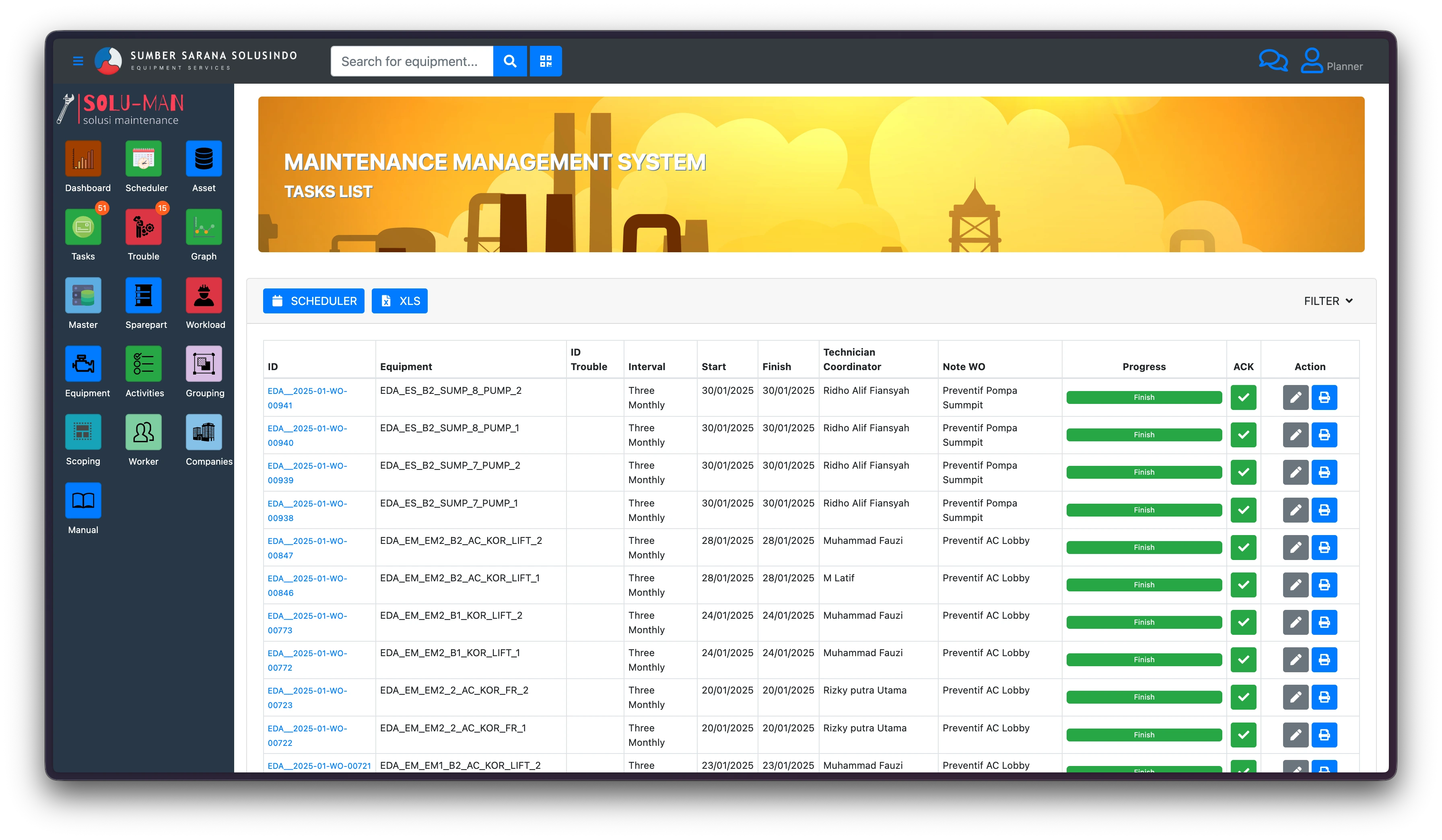
Preventive Corrective Certification Trouble Report
Highlight 02
Trouble Report → Work Order Link

Any submitted Trouble Report can be directly escalated into a formal Work Order. This creates an automatic traceability chain — from the field complaint all the way to resolution and sign-off, eliminating manual follow-up gaps.
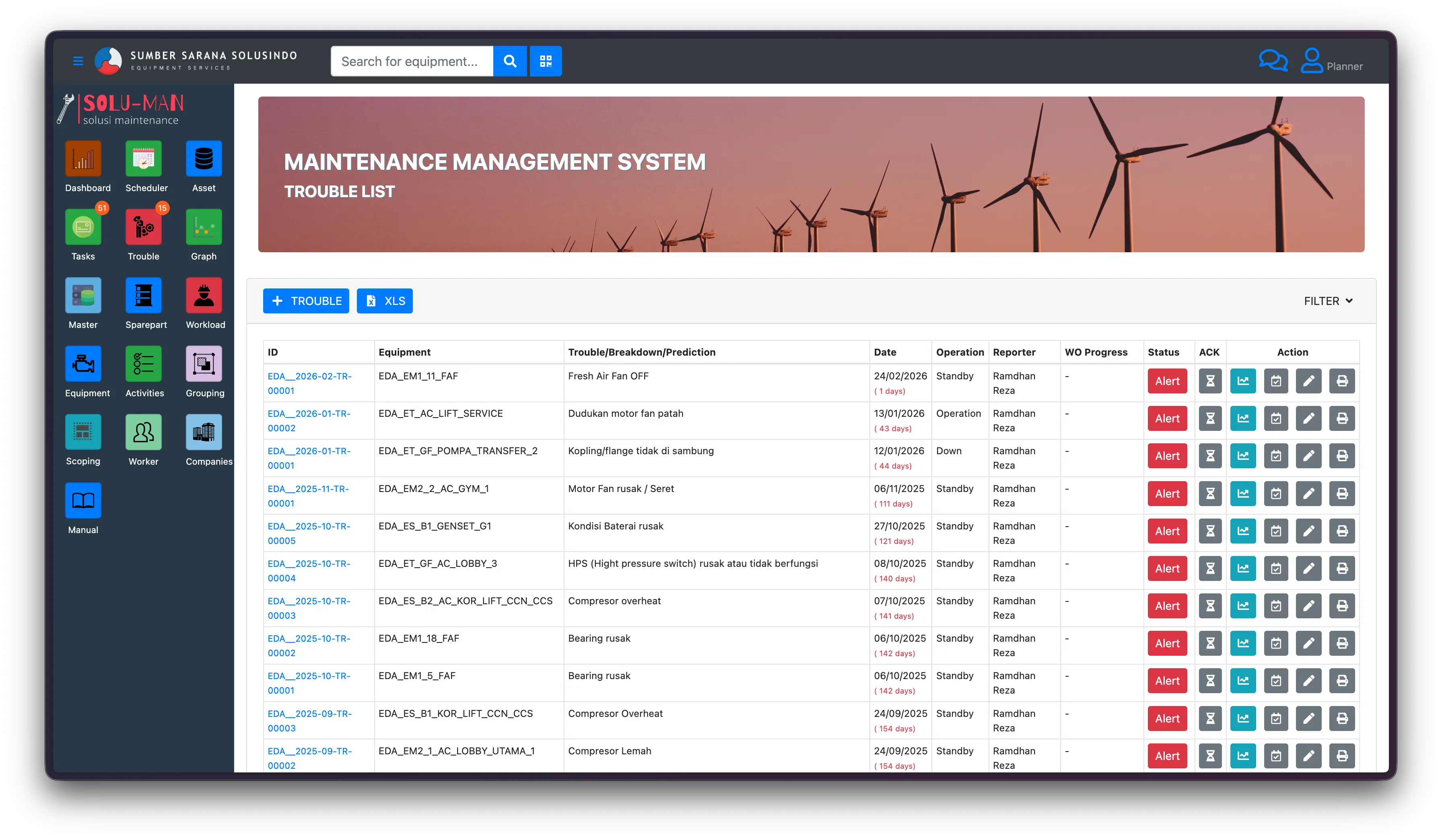
Auto-escalation Traceability Root Cause Linking
Highlight 03
User List & Management

Full user directory with profile management, workload visibility, and assignment tracking. Users are tied to specific roles and sites ensuring contextually accurate and auditable task assignment.
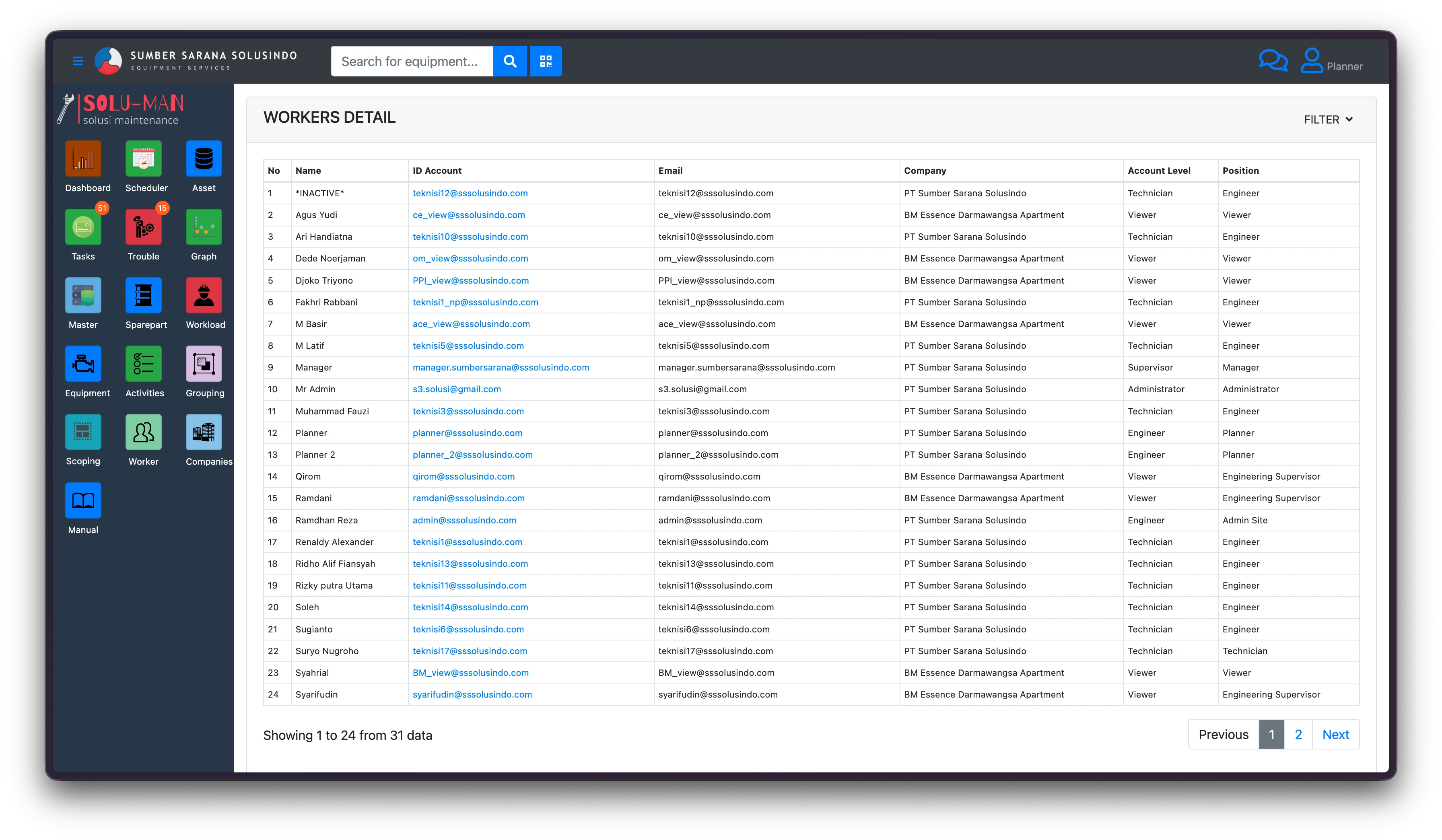
User Profiles Workload Tracking Assignment History
Highlight 04
Schedule Management

Unified scheduling engine connected to both Work Orders and Trouble Reports. Preventive maintenance schedules auto-generate WOs on due dates, while Trouble Reports can be slotted for tracked resolution timelines.
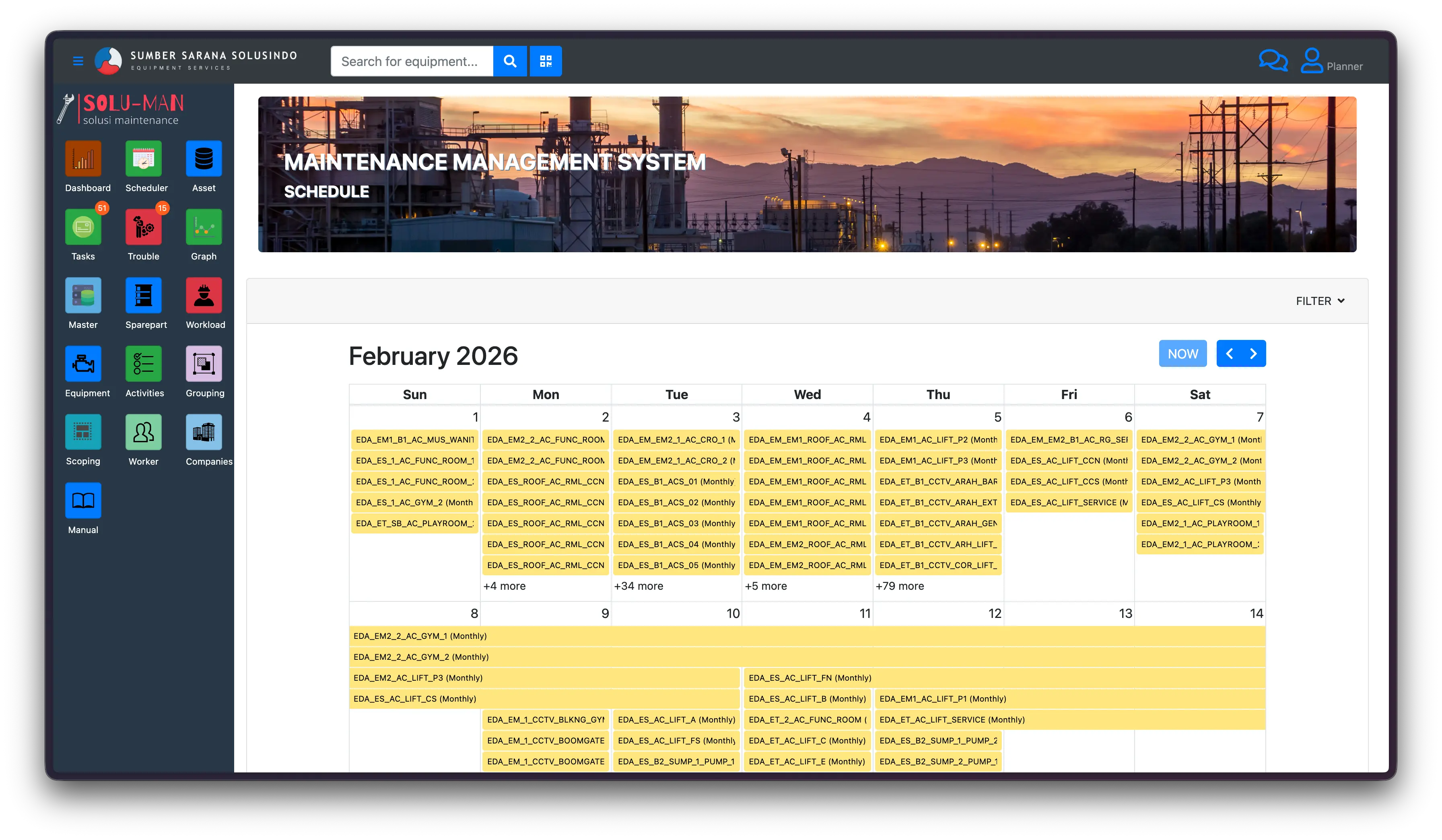
Auto WO Generation Calendar View Deadline Alerts
Highlight 05
Equipment List → Work Order

Full equipment registry linked directly to Work Orders. Each asset carries its complete history of maintenance activities, certifications, and trouble reports. Technicians can look up any equipment and immediately see its full service record.
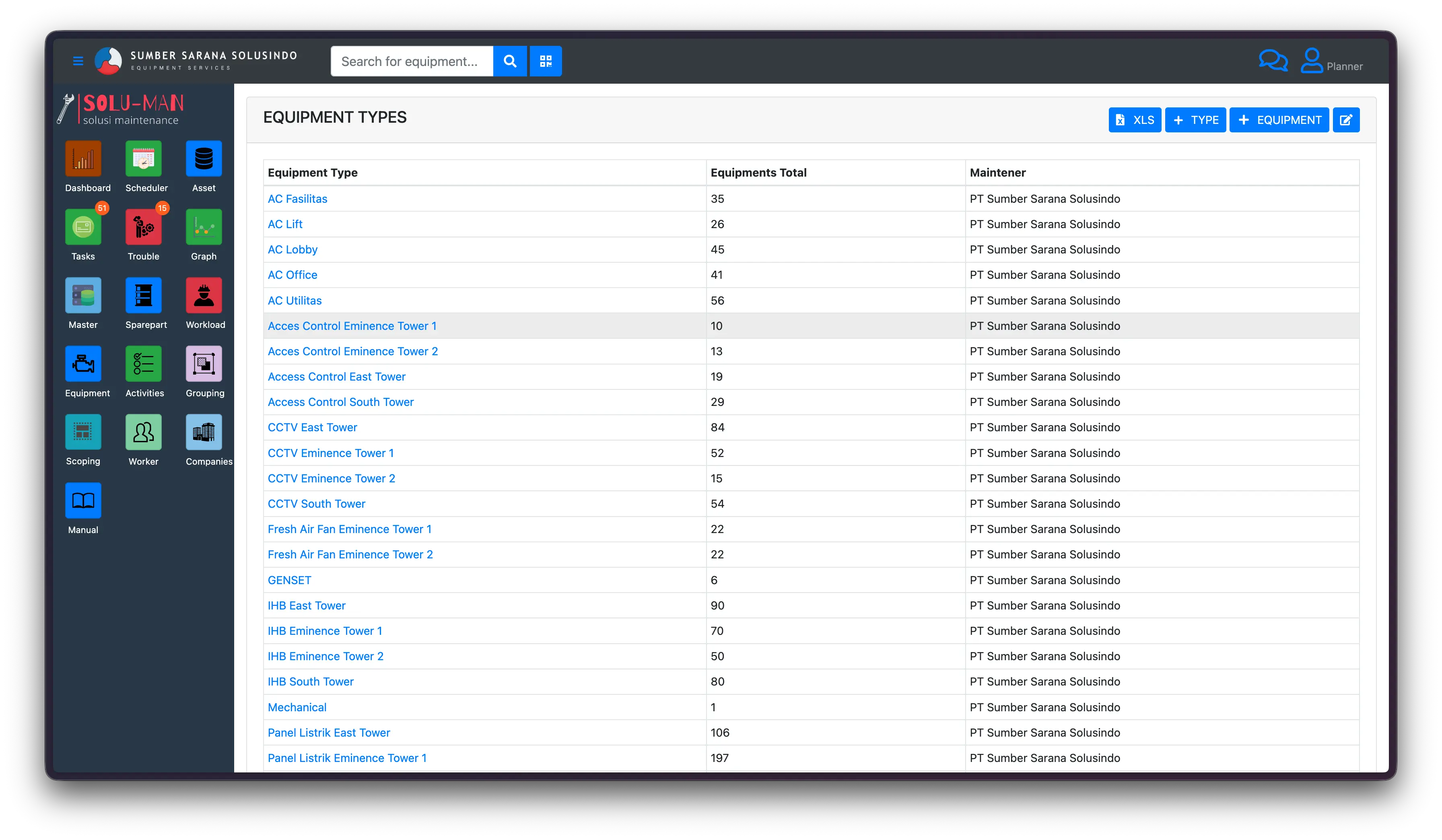
Asset Registry Service History WO Linkage
Highlight 06
Site Choice & User Role Linkage

Multi-site support with site-scoped data visibility. Each user is assigned to one or more sites and their data access is automatically scoped. A technician at Site A cannot see or modify data belonging to Site B unless explicitly authorized.
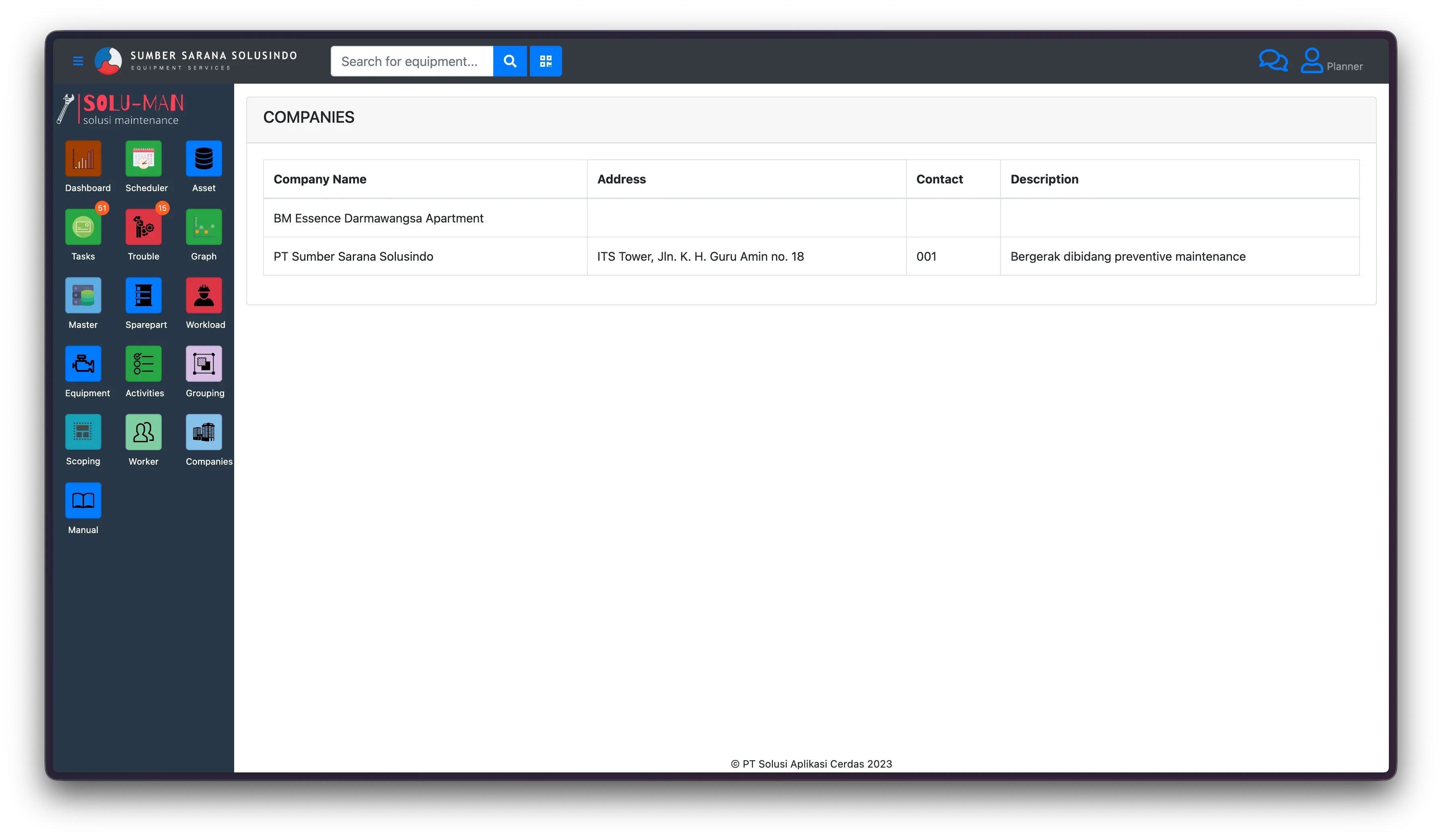
Multi-site Data Scoping Access Control
Highlight 07
Role-Based Authority

Granular permission system across all modules. Roles are defined at the system level — Admin, Supervisor, Technician, Approver, and Viewer — each with precise access rights per module. Permissions cascade from site level down to individual user actions.
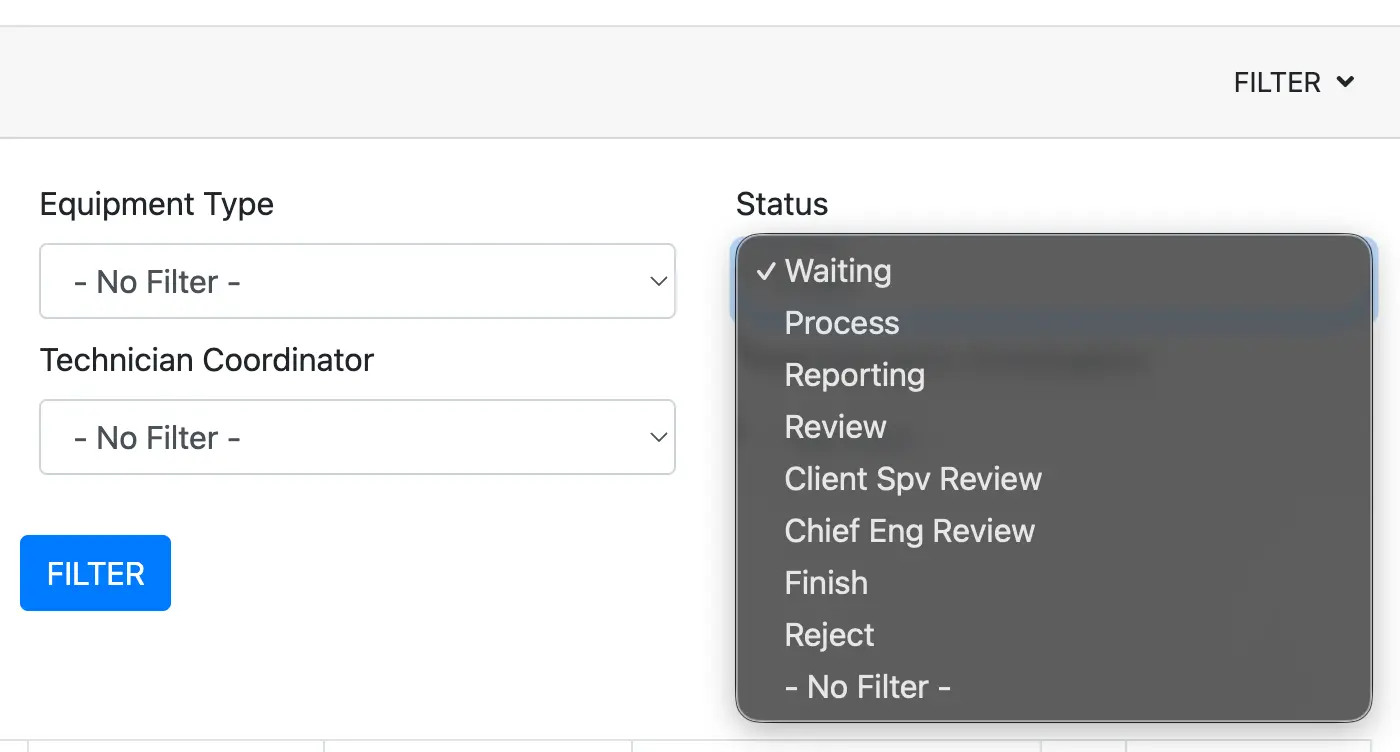
Admin Supervisor Technician Approver
Highlight 08
Digital Approval System

End-to-end digital approval workflow linked to all major system actions — WO creation, WO closure, Trouble Report escalation, Certification issuance, and Schedule changes. Multi-level approvals with timestamped signatures replace paper-based sign-off entirely.
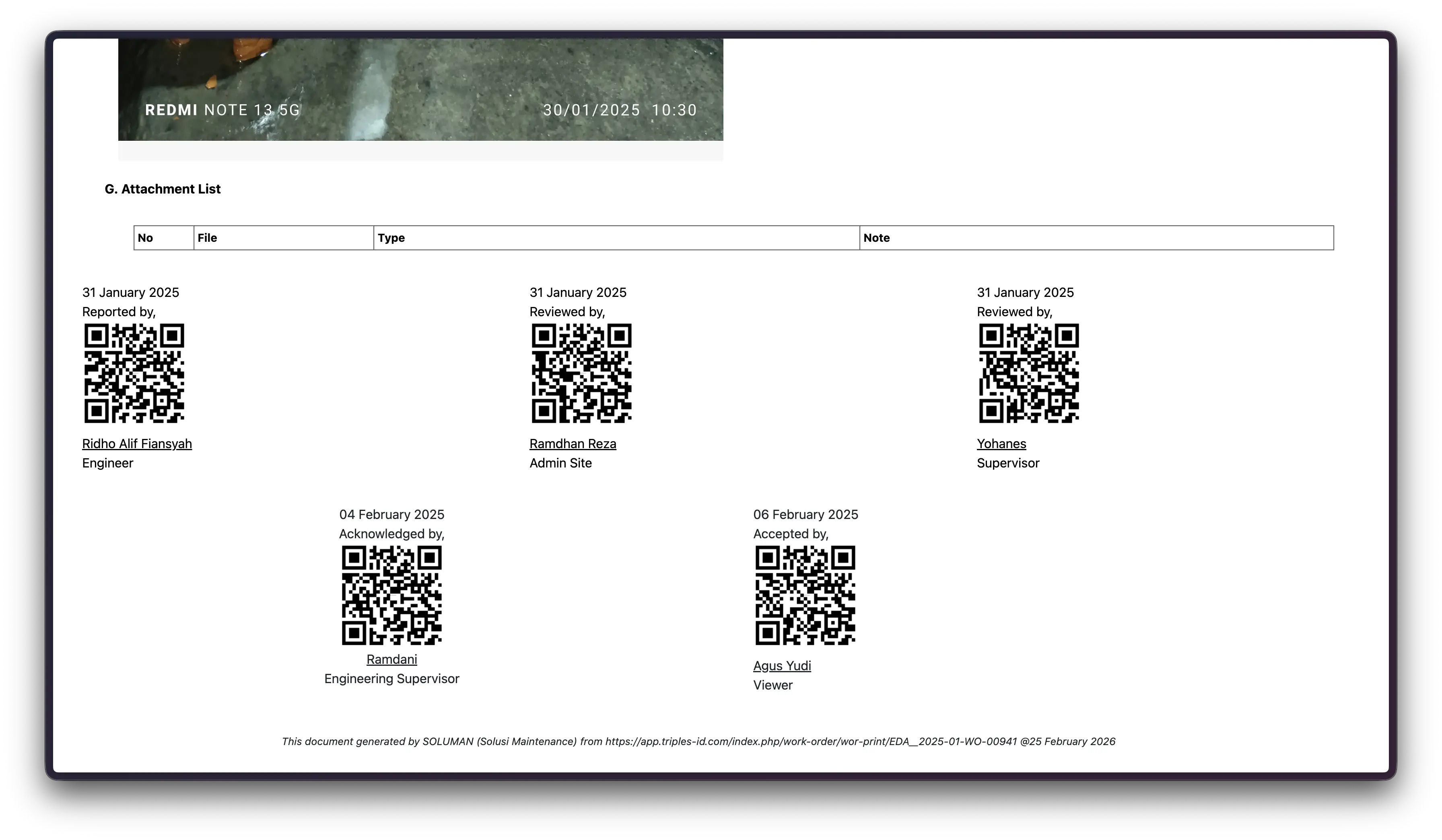
Multi-level Timestamped Paperless Audit Trail
End-to-End Workflow

Process Flow

From a fault on the floor to a closed and digitally approved work order — see how the system handles every step automatically.

1
Field Report Submitted
A technician or operator submits a Trouble Report via CMMS, describing the fault, affected equipment, and site. The report is time-stamped and assigned a unique reference number automatically.
Trouble Report Module Equipment Registry Site Scope
2
Supervisor Review & Work Order Creation
The Supervisor receives a notification, reviews the report, and creates a formal Work Order — selecting the type (Corrective, Preventive, Certification) and assigning a technician based on skill and availability.
Work Order Module User List Role Authority
3
Schedule Assignment
The WO is placed on the maintenance schedule with a target completion date. The system checks for conflicts with existing preventive maintenance windows and flags overlaps automatically.
Schedule Module Preventive Calendar Conflict Detection
4
Execution & Progress Update
The assigned technician updates the WO in real time — logging labor hours, findings, parts used, and photos. The equipment's service record updates simultaneously. All actions are logged against the technician's user profile.
Equipment Log Technician Profile Real-time Update
5
Digital Approval & WO Closure
Upon completion, the WO is submitted for approval. The Supervisor reviews and routes to the Approver for final digital sign-off. Multi-level approvals are captured with timestamps in a tamper-proof audit trail. The Trouble Report is marked resolved and permanently linked to the closed WO.
Digital Approval Audit Trail TR Closure Equipment Update
Get In Touch

Let's Build Something Together

Ready to optimize your building maintenance? Contact us for a professional consultation.

Send a Message

Tell us about your project

Contact Information

We're here to help

Phone

+62 811-8860-355

Email

sumbersaranasolusindo@gmail.com

Office

Jakarta, Indonesia

Business Hours

Mon – Fri: 8AM – 6PM WIB

For immediate assistance